

The app
How Ultra+ works
Ultra+ is a training app for lifters. You log every set, eat for muscle, and ask Blaze when you want the plan changed. This page walks through what the app does, screen by screen.
01
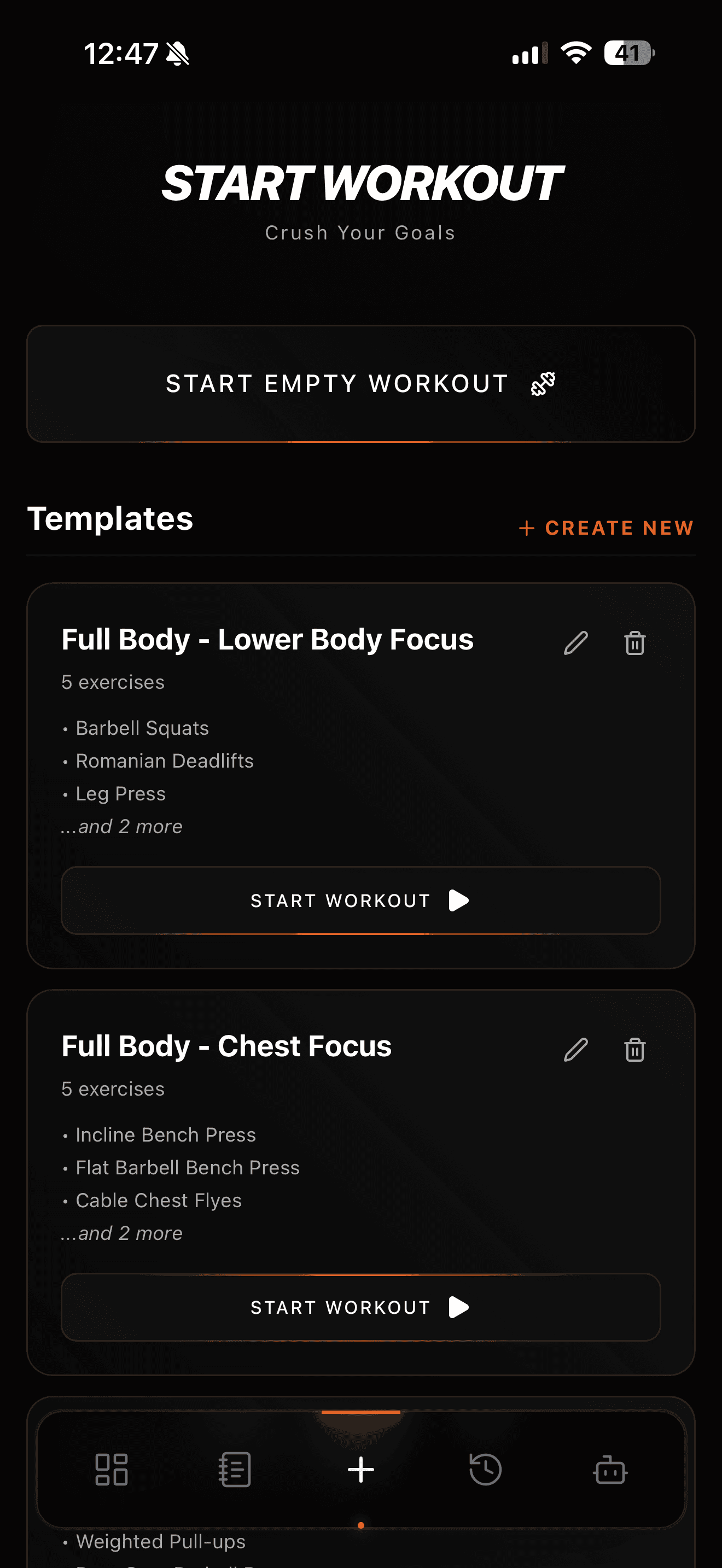
Your first week is ready before you open the app
When you sign up, you answer a short quiz: how many days you train, what equipment you have, and any injuries. Ultra+ builds a finished week of workouts from those answers while you are still in checkout. The first time you open the app, the week is already in your template list. There is no blank screen and nothing to set up. Pick the first session and start.
The starter plan is one week. It does not change on its own. When you want it changed, you ask Blaze.
02
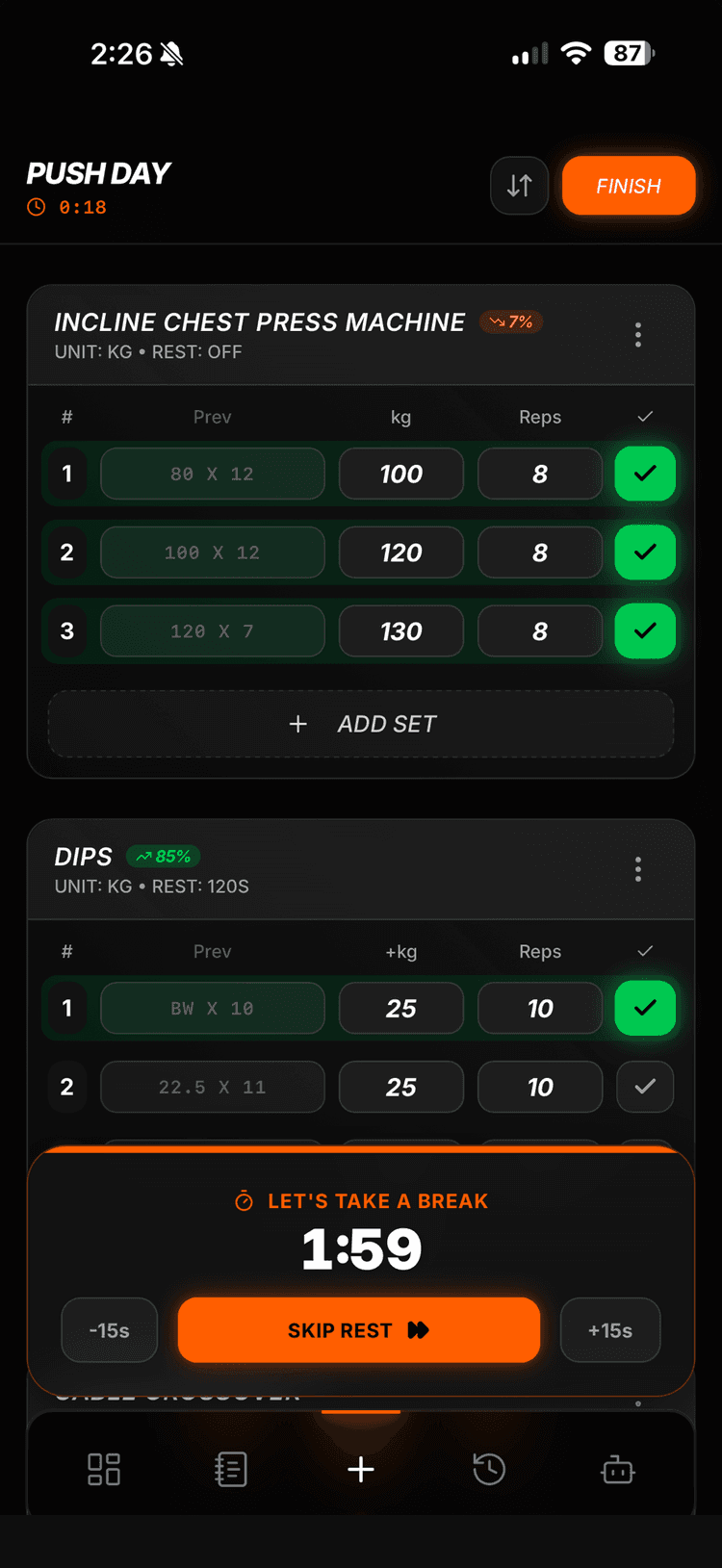
Every set shows your previous and best set
During a workout, each set shows two numbers next to the input: what you did last time for that exercise, and your best set ever. If the input is empty, your best set sits there as the placeholder. You never have to remember what you lifted last week. The number to beat is on the screen.
A rest timer starts when you finish a set. You can swap an exercise or add one in the middle of a session.
03
After each session, you see if you beat last time
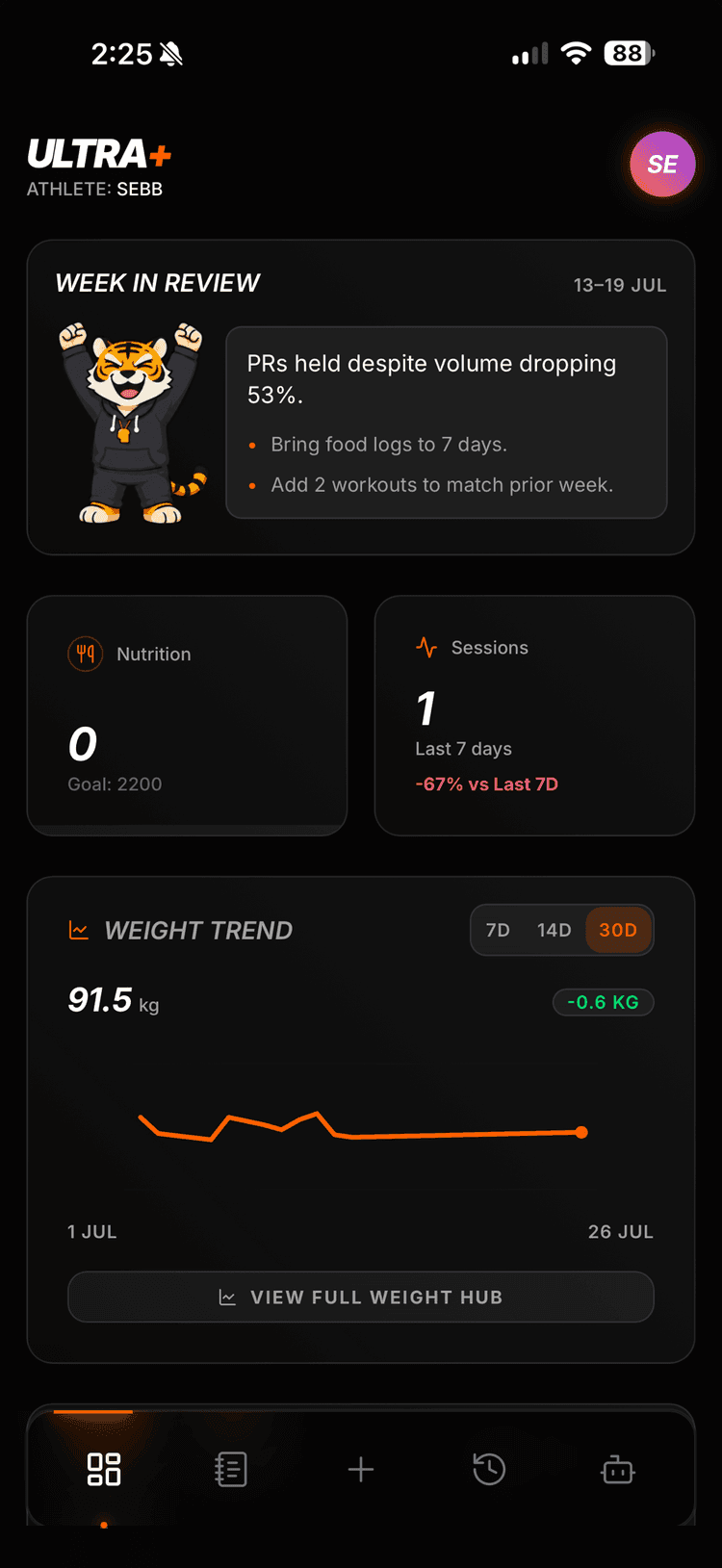
When you finish, the summary shows total volume for the session. If the workout came from a template, it also shows the change against the last time you ran that template, as a percentage. On the home screen, Ultra+ counts your sessions in the last 7 days against the 7 days before.
Once a week, Blaze writes a short card about the week you actually had, built from your logged numbers. A thin week gets a nudge with the real numbers in it, not a pep talk. The card reviews your week. It does not rewrite your plan.
04
Blaze, a coach that has read your log
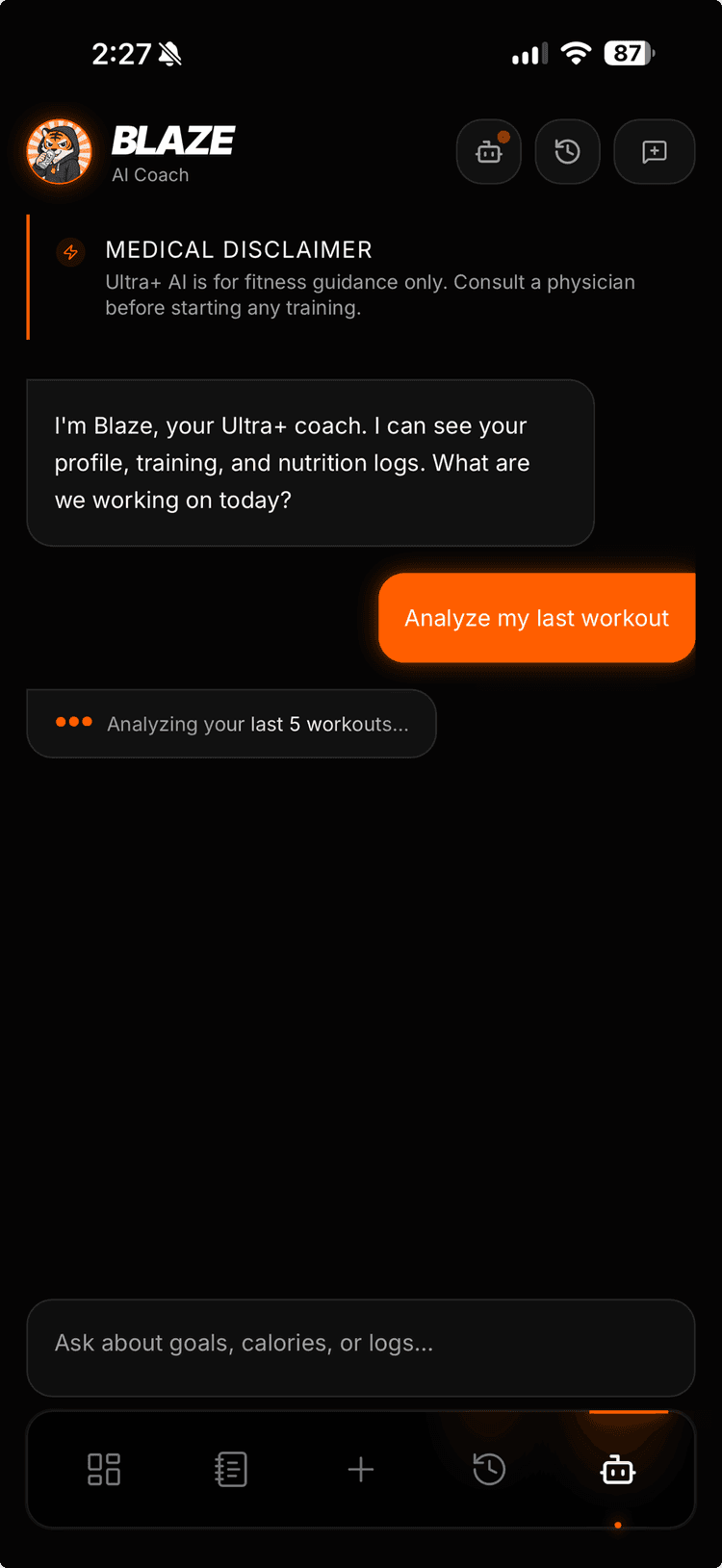
Blaze is the AI coach in Ultra+. It can read your recent workouts, exercise history, nutrition, bodyweight trend and goals, so you do not have to explain your training from scratch. Ask it why your bench stalled, how to train around a sore shoulder, or what to eat before a session.
If you ask Blaze to change your plan, it proposes the change and you approve it. It never edits your plan on its own. It remembers what you tell it across conversations.
05
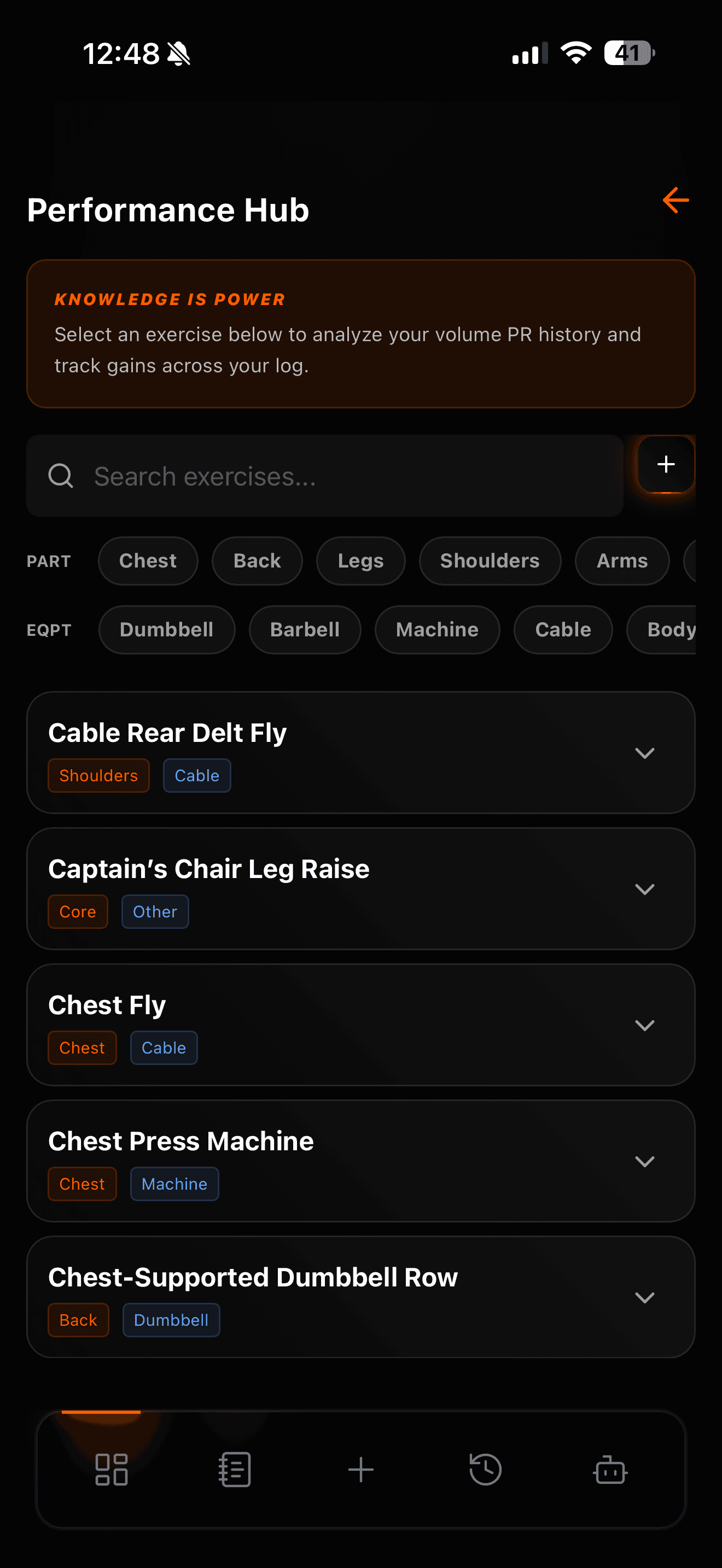
About 500 exercises with form photos
The exercise library has around 500 movements, each with a photo of the start and end position. Search by name, by a common alias, or by muscle group. When you add an exercise you have not done before, you can see how it should look before you pick up the bar.
06
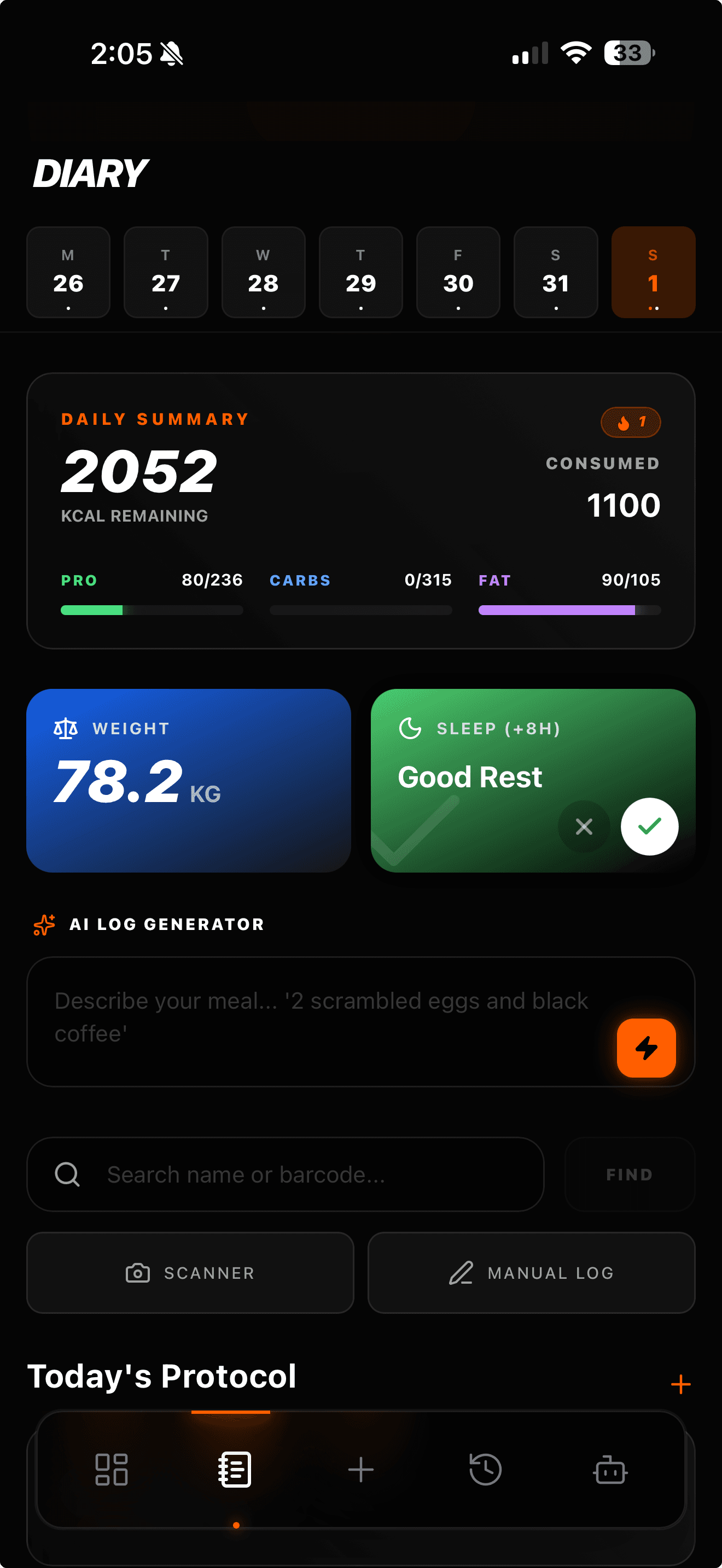
A nutrition journal with barcode scan
The journal tracks calories and macros. Search a food, scan a barcode, or describe a meal. The catalog is curated, with OpenFoodFacts as a fallback for products it does not know. It works out your BMR and TDEE and tracks bodyweight and sleep next to your food, so all three are on one screen.
Ultra+ also sends reminders on your phone: when you have not trained for a while, a morning check-in for the diary, a nudge to log food, and a weekly progress summary. All of them can be turned off in settings.
What it costs
Ultra+ costs $74.99 a year, which works out to $6.25 a month, or $12.99 billed monthly. Every plan starts with a 7-day free trial. Cancel during the trial and you pay nothing.
Full details are on the pricing page.
Your first week of training is built from the quiz before you open the app.
Start free trialCommon questions
- Does Ultra+ change my plan automatically?
- No. The starter plan is one week and stays as it is. Blaze changes a plan only when you ask, and shows you the change before it applies.
- Is Ultra+ on Android?
- Yes. Ultra+ is on the App Store and on Google Play. The home-screen widget is iOS only.
- Does the free trial cost anything?
- No. The trial is 7 days. Cancel before it ends and you are not charged.
- Can I track food in Ultra+?
- Yes. The nutrition journal has food search, barcode scanning and macro tracking, plus bodyweight and sleep logging.